
Why Your Magento 2 Store Needs a Blog (And How to Do It Right)

Why Your Magento 2 Store Needs a Blog (And How to Do It Right)
Adding a Magento 2 blog is one of the highest-ROI moves for your store's SEO. Businesses that blog get 55% more website visitors and 67% more leads than those that don't. Digital Silk
Table Of Content
The Real Impact of Blogging on Magento SEO
Product pages alone can't rank for everything your customers search. Blogs fill that gap.
61% of online shoppers decide to make a purchase based on a blog recommendation. That's a direct conversion driver, not just a traffic play.
Here's what a blog does for your store:
| Benefit | Data Point | Result |
|---|---|---|
| More organic traffic | Blogging businesses get 55% more site visitors | Increased website visibility |
| More leads | Companies with blogs generate 67% more leads | Higher conversion opportunities |
| Better SEO ROI | Consistent content publishing drives up to 13x higher ROI than no content strategy | Improved return on investment |
| Stronger authority | Almost 50% of buyers read a company's blog when evaluating purchases | Enhanced brand trust |
| Higher organic revenue | 23.6% of eCommerce orders come directly from organic search traffic (SeoProfy) | More sales from organic channels |
Blogs also let you build internal links from informational posts to product and category pages — one of the most overlooked ranking boosters in eCommerce SEO.
3 Ways to Add a Blog to Magento 2
Magento 2 has no built-in blogging feature, so stores that want to draw in content-driven traffic need a third-party solution. SeoProfy
- Use a Magento 2 blog extension
- Integrate a third-party blogging platform (e.g., WordPress)
- Develop a custom blog module tailored to your store
Option 1: Install a Magento 2 Blog Extension (Best for Most Stores)
This is the fastest, cleanest route. A dedicated blog extension plugs directly into your Magento admin — no separate system to manage.
What a good blog extension gives you:
- Blog post and author management
- Categories and tags
- SEO-friendly URL structure
- Meta title and description fields per post
- Comments, social sharing, and related products
- Responsive layout out of the box
Setup steps:
- Install the extension via Composer or manual upload
- Run
php bin/magento setup:upgradeand flush cache - Enable the module from admin and configure frontend settings (header/footer, recent posts block, search, categories, sharing)
- Create blog categories with individual URL keys and meta data
- Add authors with bios, profile images, and social links
- Write posts — add SEO metadata (URL key, meta title, meta description) to each
- Configure the sitemap to include blog URLs and submit to Google Search Console
Best for: Stores that want one integrated system, fast setup, and no extra maintenance overhead.
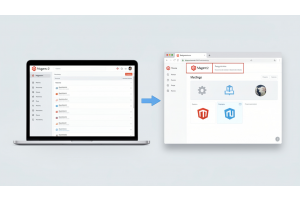
Option 2: Integrate WordPress with Magento 2
WordPress is the world's most widely used CMS and provides a powerful editorial environment. You can connect it to Magento using a connector extension.
Pros vs. cons at a glance:
- More advanced content management and publishing tools
- Greater flexibility with themes, plugins, and customization
- Separate system to manage alongside Magento
- Additional maintenance, updates, and hosting considerations
- Requires integration setup between Magento and WordPress
| Aspect | Pros | Cons |
|---|---|---|
| Content Management | Advanced content management | Two separate systems to maintain |
| Plugins & Extensions | Huge plugin ecosystem (Yoast SEO, etc.) | More complex setup |
| Writing Experience | Familiar editor for writers | Potential performance impact |
| Workflow & Editorial Process | Strong editorial workflows | Integration can break on updates |
Step-by-Step Integration
Step 1 — Install WordPress
- Install in a subdirectory (e.g., yourstore.com/blog) to keep domain authority unified, which is better for SEO than a subdomain.
- Complete basic setup including site title, admin user, and permalink structure.
Step 2 — Install a Connector Module
- Use a Magento–WordPress integration extension.
- Install via Composer, then run setup:upgrade and flush the cache.
Step 3 — Configure the Integration
- Go to Magento Admin → Content → WordPress.
- Enter your WordPress database credentials.
- Save the configuration so Magento can pull blog content from WordPress.
Step 4 — Set SEO-Friendly URLs
- In WordPress, navigate to Settings → Permalinks → Post name (/sample-post/).
- Align URL structure with your Magento store paths.
- Avoid duplicate content between platforms.
Step 5 — Match the Design
- Use consistent fonts, colors, and layout to match your Magento store.
- Some connector extensions automatically render WordPress inside the Magento theme.
Step 6 — Add Navigation and Internal Links
- Add the blog link to your main menu, footer, and homepage.
- Link each blog post to relevant product and category pages.
Step 7 — Optimise for SEO
- Install an SEO plugin (e.g., Yoast) in WordPress.
- Optimise meta titles, H1/H2 tags, and image alt text for each post.
- Submit your blog sitemap in Google Search Console.
Step 8 — Test Before Going Live
- Check page load speed.
- Test mobile responsiveness.
- Fix broken links and styling gaps between the two platforms.
When Does WordPress Integration Make Sense?
Use this approach when you publish high volumes of content, need advanced editorial features, or have a dedicated content team already familiar with WordPress.
Option 3: Custom Blog Development
Build a bespoke blog module from scratch tailored specifically to your business requirements and design preferences.
| Pros | Cons | |
|---|---|---|
| Full control over every feature | Expensive to build | |
| Tailored to exact business needs | Slow to launch | |
| No third-party dependencies | Requires ongoing dev maintenance | |
This only makes sense for large enterprise stores with in-house development teams. For everyone else, it's overkill.
Tip
To enhance your eCommerce store’s performance with Magento, focus on optimizing site speed by utilizing Emmo themes and extensions. These tools are designed for efficiency, ensuring your website loads quickly and provides a smooth user experience. Start leveraging Emmo's powerful solutions today to boost customer satisfaction and drive sales!
SEO Best Practices for Your Magento 2 Blog
Getting the blog live is step one. Ranking it is the real work.
SEO Content Strategy Best Practices
Implementing a strong SEO content strategy requires targeting the right keywords, creating valuable content, and maintaining technical optimization across every page. The following practices help improve rankings, traffic, and conversions.
Target the Right Keywords
- Focus on long-tail and informational queries that product pages typically cannot rank for.
- Example: “Best running shoes for flat feet” performs better than trying to rank a product page for “running shoes.”
- Use keyword research tools to identify queries with clear buyer intent and lower competition.
Write Content That Solves Real Problems
Content that exceeds 3,000 words tends to generate significantly more traffic than shorter articles. Long-form content also earns more engagement, including shares and backlinks, making it more authoritative in search engines.
Internal Linking Is Non-Negotiable
- Link each blog post to at least one relevant product page or category.
- Distributes link equity and improves crawlability for search engines.
- Guides users toward conversion paths and reduces bounce rates.
- Improves engagement signals that contribute positively to SEO performance.
Publish Consistently
Consistency plays a major role in organic growth. Businesses publishing 9 or more blog posts per month have been shown to increase organic traffic by 35.8% year-over-year, compared to only 16.5% for those publishing 1–4 posts monthly.
Optimize Every Post Technically
- Use a unique meta title (under 60 characters) with the primary keyword near the beginning.
- Write a meta description under 160 characters that encourages clicks.
- Create clean URL keys without stop words and use hyphens instead of underscores.
- Compress images and include descriptive alt text for accessibility and SEO.
- Structure content properly using H1 for titles and H2/H3 for subheadings—maintain a clear hierarchy.
Speed Matters More Than Ever
Page speed directly impacts user experience and search rankings. Improving load time by just 35% can reduce bounce rates by up to 20%.
- Compress and optimize images to reduce file sizes.
- Enable caching to improve load performance.
- Minimize JavaScript and avoid unnecessary scripts on blog pages.
- Ensure your website loads quickly to prevent user frustration and lost conversions.
How Blogging Fits Into Your Broader Traffic Strategy
A blog captures users at the top of the funnel — before they're ready to buy. The path looks like this:
Google search → Blog post → Product/category page → Purchase
SEO organic channels cost about $31 per lead, while paid ads cost around $181 — meaning SEO generates roughly 5.8x more leads per dollar spentCommon Blogging Mistakes That Hurt Magento SEO
| Mistake | Why It Hurts |
|---|---|
| Thin or duplicate content | Google penalises low-value pages and may suppress the entire domain. |
| No meta optimisation | Leads to lower CTR from search results and weaker rankings. |
| Ignoring internal links | Missed link equity and reduced user engagement and conversions. |
| Irregular publishing | Slows authority building and signals low freshness to search engines. |
| Heavy, slow blog pages | Increases bounce rate and can negatively impact rankings. |
| No keyword research | Results in content that no one is searching for, limiting traffic potential. |
Conclusion
For most Magento 2 stores, a dedicated blog extension is the right call. It keeps everything under one roof, loads fast, integrates with your existing SEO settings, and doesn't require managing two separate systems. Start with a solid keyword strategy, publish consistently, link aggressively to your products, and optimise every post technically. That's the formula that drives sustainable organic traffic from your Magento 2 blog.
FAQs
Why does a Magento 2 store need a blog?
A blog helps drive organic traffic, improve SEO rankings, and attract potential customers by targeting informational and long-tail keywords that product pages cannot effectively rank for.
How does blogging improve SEO for Magento 2 stores?
Blogging allows you to publish keyword-rich content, build internal links to product pages, and increase overall site authority, which helps search engines better understand and rank your website.
What type of blog content should an eCommerce store publish?
Magento 2 stores should publish guides, how-to articles, product comparisons, buying guides, and informational posts that solve customer problems and align with search intent.
How often should I publish blog posts on my Magento 2 store?
Consistency is key. Publishing multiple blog posts per month (ideally 4–10+) helps improve indexing frequency, keyword coverage, and long-term organic traffic growth.
Do blog posts help increase sales in Magento 2?
Yes, blog posts can guide users through the buying journey by educating them, building trust, and internally linking to relevant product or category pages, which can lead to higher conversions.
What keywords should I target in Magento 2 blog content?
Focus on long-tail and informational keywords with clear intent, such as product comparisons, “best” queries, tutorials, and niche-specific questions your target audience is searching for.
How important is internal linking in blog posts?
Internal linking is essential. It helps distribute link equity, improves crawlability, reduces bounce rates, and guides readers from blog content toward product and category pages.
What are the key SEO elements to optimize in a blog post?
Each post should include a unique meta title, meta description, clean URL key, optimized headings (H1, H2, H3), compressed images with alt text, and properly structured content.
Does blog content need to be long to rank well?
Long-form content often performs better because it covers topics in depth, answers multiple related queries, and increases chances of earning backlinks and social shares.
How does page speed affect blog performance?
Fast-loading pages improve user experience, reduce bounce rates, and positively impact rankings. Optimizing images, enabling caching, and minimizing scripts are key to maintaining good performance.