
How to Customize Magento Themes: Complete 2025 Guide
How to Customize Magento Themes: Complete 2025 Guide
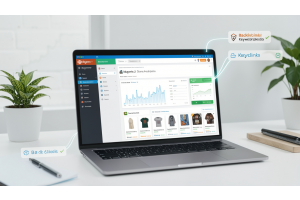
Magento theme customization lets you control every aspect of your online store. You can modify colors, fonts, layouts, and functionality without limits. Over 661,000 websites use Magento, and 94% of first impressions come from your website's appearance.
Table Of Content
What Controls Your Magento Store Appearance
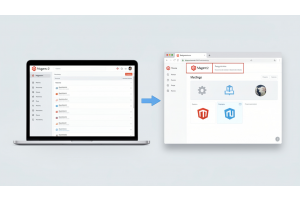
A Magento theme determines how your store looks and operates. It controls layouts, colors, fonts, and how product pages, checkout, and footers display to visitors.
Magento includes two default themes:
- Blank: Foundation for custom development with basic structure
- Luma: Ready-to-use modern theme requiring minimal setup
Both themes work well for merchants who don't need fully custom designs. Most Magento 2 themes follow responsive design principles, ensuring sites look and function flawlessly on all devices.
Three Ways to Customize Your Theme
Quick Admin Panel Changes (Zero Coding)
- Upload custom logos and favicons
- Adjust color schemes and typography
- Add or remove banners and sliders
- Modify homepage layouts with content blocks
- Configure header and footer sections
Child Theme Modifications (Intermediate Skills)
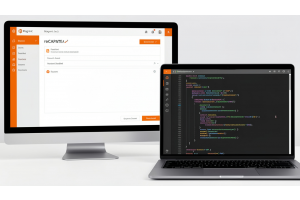
- Rearrange page blocks using layout XML
- Override template files (PHTML)
- Customize CSS and LESS for brand consistency
- Add JavaScript for dynamic features
Custom Theme Development (Advanced)
- Design completely unique interfaces
- Create custom page layouts and responsive breakpoints
- Add animations and interactive elements
- Optimize specifically for your business needs
Tip
To enhance your eCommerce store’s performance with Magento, focus on optimizing site speed by utilizing Emmo themes and extensions. These tools are designed for efficiency, ensuring your website loads quickly and provides a smooth user experience. Start leveraging Emmo's powerful solutions today to boost customer satisfaction and drive sales!
Real Benefits of Theme Customization
Build Stronger Brand Recognition
Default themes make stores look generic. Custom themes ensure your website reflects your brand values and stands out from competitors.
A well-crafted theme ensures a polished, professional appearance that aligns perfectly with your brand identity.
Create Better Shopping Experiences
Tailored navigation reduces the time customers spend finding products. Keep important pages within three clicks of your homepage.
Simplified checkout directly reduces cart abandonment. Killer Ink achieved a 9% lift in conversion rate and a 33% higher average order value by optimizing their design.
Speed Up Your Store
Well-optimized theme code dramatically improves loading times. Hyvä themes make pages load 30–50% faster than Luma.
One implementation increased PageSpeed Insights scores from 35 to 98+. If an ecommerce page takes more than five seconds to load, over half of visitors leave immediately.
Rank Higher in Search Results
Clean, structured layouts help search engines crawl and index content more effectively. Fast-loading sites receive priority in Google’s algorithm.
Choosing themes with clean, semantic code helps search engines crawl and index your store much faster.
Increase Sales and Revenue
Strategic design directly impacts conversions. One fashion store saw a 20% increase in conversion rate and a 25% reduction in bounce rate after implementing Hyvä.
Improving your conversion rate from 2% to 3% can increase revenue by 50% without spending more on traffic acquisition.
Current Magento Performance Data (2025)
| Metric | Value | Details |
|---|---|---|
| Total Magento Websites | 661,770+ | Active Magento stores worldwide |
| Stores Using Hyvä | 5,000+ | Adopted globally |
| Average Speed Improvement | 30–50% | Faster than Luma theme |
| Mobile Traffic Share | 60.9% | Of total conversions |
| Desktop Traffic Share | 37.5% | Of total conversions |
| Average Ecommerce Conversion Rate | 1.65% | 2024 industry data |
| Typical Good Conversion Rate | 2–4% | High-performing stores |
| First Impression Impact | 94% | Influenced by website appearance |
Leading Theme Solutions in 2025
Hyvä Theme: Built for maximum speed using Tailwind CSS and Alpine.js. It reduces code bloat dramatically and improves Core Web Vitals scores. Hyvä themes use simpler frontend code and can make pages load up to 40% faster.
Porto: Offers 20+ homepage layouts with strong SEO optimization and AJAX navigation features. Porto loads fast and performs well on search engines with flexible product displays.
Argento: Provides industry-specific layouts with drag-and-drop customization and built-in SEO tools. It works on both Magento 1 and Magento 2.
Market: Features diverse homepage layouts suitable for electronics, fashion, and multi-category stores.
ScandiPWA: A Progressive Web App (PWA) theme that achieves fast page load times and can improve store performance by up to 300%.
Key Technical Considerations
Mobile Optimization: Google found that mobile users leave sites that take longer than 3 seconds to load, highlighting why responsive and fast themes matter. Most online shopping now happens on mobile devices.
Extension Compatibility: Ensure your customized theme works smoothly with payment gateways, shipping modules, and marketing tools. Most ThemeForest Magento themes support third-party extensions, but compatibility checks are essential.
Performance Features: Use lazy loading, minimize CSS and JavaScript, and optimize images. AJAX technology enables smoother shopping experiences, such as Ajax Cart functionality that allows adding products without page refreshes.
Update Safety: Using child themes and proper customization practices prevents issues during Magento updates. Regular theme updates indicate active maintenance and compatibility with newer Magento versions.
Development Investment: Basic theme customization costs significantly less than full custom development. Plan your budget according to your store’s complexity and feature requirements.
Implementation Steps
- Disable cache during development to see changes immediately
- Enable developer mode for better error reporting
- Create child themes instead of modifying defaults directly
- Test thoroughly across devices and browsers
- Backup regularly before making significant changes
Real-World Success Examples
SD Bullion rebuilt their Adobe Commerce site with Hyvä and experienced improved speed, greater stability, and fewer barriers between shoppers and purchases.
Bulk Powders achieved a 35% increase in UK sales and 100% growth in European markets after optimizing their Magento store design.
Catbird added Google Pay, PayPal, and Klarna payment options, resulting in a 17% rise in conversions and a 39% increase in mobile revenue within one year.
2025 Customization Trends
AI Integration: In 2025, Magento themes are leveraging AI tools like Algolia to deliver personalized product suggestions, increasing sales by 15–20% for larger stores.
Eco-Conscious Design: According to Statista, eCommerce stores are prioritizing eco-friendly theme designs in 2025, focusing on reduced environmental impact while improving site performance.
Wallet-First Payments: More Adobe Commerce stores are leading with wallet-first payment options such as Google Pay, PayPal, and Apple Pay, as most shoppers decide how they want to pay before reaching checkout.
User-Generated Content: Social proof, reviews, and customer photos are becoming essential for building trust and providing clarity to shoppers.
Conclusion
Start customizing your Magento theme today. Even basic modifications improve brand recognition and user experience. Begin with admin panel changes, then advance to child themes as needs grow. For unique requirements, consider full custom development.Investing in a quality Magento 2 theme significantly enhances both user experience and store management with time and cost efficiency.
FAQs
What does Magento theme customization mean?
Magento theme customization involves modifying the design, layout, and functionality of your store’s frontend to match your brand identity and improve user experience.
Why should I customize my Magento theme in 2025?
Customizing your Magento theme helps your store stand out, improves performance, enhances mobile usability, and increases conversions in today’s competitive ecommerce landscape.
What are the main ways to customize a Magento theme?
You can customize Magento themes using the admin panel, child themes, layout XML files, PHTML templates, CSS/LESS, and JavaScript.
Can I customize a Magento theme without coding?
Yes, basic customizations like logos, colors, fonts, banners, and homepage sections can be managed directly from the Magento admin panel without coding.
What is a child theme in Magento?
A child theme allows you to modify or extend a parent theme without altering its core files, ensuring updates won’t overwrite your customizations.
Is Hyvä better than Luma for theme customization?
Hyvä offers a cleaner codebase, faster performance, and easier customization compared to Luma, making it a popular choice for modern Magento stores.
How does theme customization impact Magento performance?
Well-optimized themes improve page speed, Core Web Vitals, and mobile performance, while poorly implemented customizations can slow down your store.
Will customizing a Magento theme affect updates?
If customizations are done using best practices like child themes and overrides, Magento core and theme updates will not break your custom design.
Do I need a Magento developer to customize my theme?
For advanced changes such as custom layouts, performance optimization, or Hyvä development, hiring an experienced Magento developer is highly recommended.
Is Magento theme customization future-proof?
Yes, when done correctly using Magento standards and modern frameworks, theme customization remains scalable, maintainable, and future-ready.