
Complete Guide to Magento 2 Hide Price Extensions
Complete Guide to Magento 2 Hide Price Extensions
Magento 2 hide price extensions let you control when product prices appear in your store. You decide which customers see pricing, when they see it, and what appears instead of the standard price display. This guide covers the top hide price extensions for 2026, helping you choose the right solution for your store's pricing strategy.
Table Of Content
Why Hide Product Prices
Drive Qualified Leads
When customers must contact you for pricing, you filter serious buyers from casual browsers.
Research shows that personalized pricing strategies can boost customer retention by up to 15%.
Enable Flexible Pricing
B2B stores need different pricing for wholesalers, retailers, and individual buyers.Hiding prices lets you negotiate based on order volume and customer value.
Protect Competitive Advantage
Visible pricing allows competitors to undercut you immediately.Hidden prices prevent price wars that erode profit margins.
Encourage Account CreationRequiring login to see prices helps build your customer database.
You gain valuable data while creating a barrier that filters uncommitted visitors.
Support Complex ProductsCustom-built items, fluctuating commodity prices, and bulk orders don’t fit fixed pricing models.
Quote-based pricing works better for these scenarios.
Product labels are customizable tags you place on product images. They highlight specific products and communicate key information instantly.
Core Extension Features to Consider
Rule-based visibility. Create multiple conditions that trigger price hiding based on customer group, product category, date range, or store view.
Custom button replacement. Replace "Add to Cart" with buttons that redirect to contact forms, login pages, or quote request systems.Multi-store compatibility. Apply different rules across store views for international pricing or separate B2B/B2C sites.
Quote management. Built-in systems to capture, track, and respond to customer price inquiries from a central dashboard.Email notifications. Automatic alerts when customers submit quote requests, reducing response time. Theme compatibility. Support for standard Magento themes, Hyvä, and custom theme frameworks..
Top 5 Extensions Comparison
| Extension | Price | Best For | Key Strengths | Limitations |
|---|---|---|---|---|
| Option 1 | $99.99 | Complex B2B stores | Multi-rule engine, quote dashboard, GraphQL support | Requires setup time for complex rules |
| Option 2 | $169 | Precision control needs | Advanced tier pricing, theme compatibility | Higher cost, steeper learning curve |
| Option 3 | $149 | Integrated reporting | Built-in analytics, email workflows | Mid-tier features at premium price |
| Option 4 | $149 | Small to medium stores | Simple configuration, lightweight | Fewer advanced features |
| Option 5 | $49 | Budget-conscious merchants | Basic functionality, easy setup | Limited customization options |
Detailed Extension Analysis
Best Overall Value
The $99.99 option delivers comprehensive features at a reasonable price point. You get:
- Global, category-level, and product-level price hiding
- Multi-rule engine for customer groups, regions, and product types
- Centralized quote management dashboard
- Email notifications for admins and customers
- Multi-store and multi-language support
- GraphQL and Hyvä theme compatibility
This extension balances affordability with professional-grade features. It handles complex B2B scenarios without the premium price tag of competitors.
Premium Enterprise Solution
At $169, this extension targets stores requiring precise control. Features include:
- Hide prices, tier pricing, and bundle pricing separately
- Advanced customer group restrictions
- Hyvä theme compatibility
- Disable wishlist and compare functions
- Custom CTA replacements
The higher cost reflects robust configuration options and reliable vendor support. Choose this if budget isn't your primary concern and you need maximum flexibility.
Reporting-Focused Option
The $149 reporting-focused extension combines price hiding with analytics:
- Auto-hide based on customizable rules
- Pop-up or redirect CTAs
- Built-in request tracking grid
- Email notification system
- Integration with Magento workflows
This middle-ground option works well for stores that want lead capture alongside controlled pricing. The reporting features help track inquiry conversion rates.
Straightforward Configuration
Another $149 option emphasizes simplicity:
- Product, category, and store-level hiding
- Custom text and link replacements
- Customer group visibility rules
- Lightweight installation
Perfect for merchants who want reliable functionality without complexity. Smaller stores benefit most from this streamlined approach.
Budget Entry Point
At $49, this basic extension provides:
- Simple price hiding with custom messages
- Guest and logged-in customer rules
- Login/contact page redirects
- Minimal configuration required
Tip
To enhance your eCommerce store’s performance with Magento, focus on optimizing site speed by utilizing Emmo themes and extensions. These tools are designed for efficiency, ensuring your website loads quickly and provides a smooth user experience. Start leveraging Emmo's powerful solutions today to boost customer satisfaction and drive sales!
Common Implementation Challenges
Rule conflicts. Multiple overlapping rules can create logic errors. Start with simple rules and add complexity gradually. Test each rule before adding the next.
Customer frustration. Hidden prices without clear explanations feel like barriers. Always provide context: "Login to see wholesale pricing" or "Contact us for custom quotes on bulk orders."Extended sales cycles. Quote-based selling takes longer than immediate checkout. Offset this with automated quote responses and fast reply times. Set expectations upfront.SEO impact. Google Shopping Feed may not list products without visible prices. If you rely on product comparison feeds for traffic, hide prices selectively rather than store-wide. Monitor organic traffic after implementing price hiding. Some stores see reduced comparison shopping traffic but higher-quality leads.
Strategic Implementation Tips
Start selective. Hide prices for specific high-value products or categories first. Monitor results before expanding.
Provide clear alternatives. When hiding prices, offer obvious paths forward such as “Request wholesale pricing” or “Login to view member rates.”
Automate responses. Set up email templates that acknowledge quote requests immediately. Fast responses maintain customer interest.
Segment strategically. Hide prices from guest users but show them to logged-in customers. This encourages registration without blocking all sales.
Test mobile experience. Ensure custom buttons and forms work properly on mobile devices, where most browsing happens.
Beyond Basic Price Hiding
Advanced stores combine hide price extensions with:
- Request for Quote systems that handle complex B2B negotiations
- Customer group pricing that shows different rates to wholesalers and retailers
- Dynamic pricing rules that adjust based on quantity, customer history, or market conditions
- Private sales events where prices appear only during specific time windows
If your needs extend beyond simple price hiding, consider comprehensive B2B suites that integrate multiple pricing tools.
Choosing Your Extension
Select based on your specific requirements:
- Choose the $99.99 option if: You need comprehensive features, quote management, and multi-store support without premium pricing. Best for growing B2B stores.
- Choose the $169 option if: You require maximum configuration flexibility and premium support. Best for established enterprises with complex requirements.
- Choose the $149 reporting option if: You want analytics alongside price hiding. Best for stores tracking lead conversion and quote performance.
- Choose the $149 simple option if: You need reliable basic functionality with minimal setup. Best for small to medium stores.
- Choose the $49 option if: Budget is the primary concern and basic price hiding meets your needs. Best for startups and simple stores.
Alternative: Custom Development
If no existing extension fits your needs, custom development creates a tailored solution. This costs more initially and requires ongoing maintenance, but delivers exactly what you need without unnecessary features.
Custom extensions work best when you have unique business rules that standard extensions can't handle. Budget for both development and long-term maintenance costs.
Implementation Best Practices
- Buy from reputable developers. Verified extensions ensure security, regular updates, and reliable support. They're less likely to conflict with your theme or other extensions.
- Test thoroughly. Install on a staging environment first. Verify that price hiding works correctly across all product types, customer groups, and devices.
- Document your rules. Keep clear records of which rules you've created and why. This prevents confusion when rules conflict or need updating.
- Monitor performance. Track how price hiding affects conversion rates, quote requests, and average order value. Adjust your strategy based on actual results.
- Plan for growth. Choose an extension that scales with your business. Starting with too-basic a solution means migrating later, which disrupts your pricing strategy.
Conclusion
Price hiding works best when it serves a clear business purpose: protecting wholesale pricing, enabling custom quotes, or filtering serious buyers. Don't hide prices just because you can. Hidden prices frustrate customers unless you provide obvious, valuable alternatives. For most B2B stores, the $99.99 comprehensive option offers the best balance of features and value. Enterprise stores needing maximum control should consider the $169 premium option. Budget-conscious stores can start with the $49 basic option and upgrade as they grow.
FAQs
What is a Magento 2 Hide Price extension?
A Magento 2 Hide Price extension allows store owners to hide product prices and “Add to Cart” buttons from selected users or customer groups, replacing them with custom messages, login prompts, or quote request options.
Why do eCommerce stores use hide price functionality?
Stores use hide price functionality to control pricing visibility, support B2B negotiations, protect competitive pricing, encourage customer login, and comply with region-based or customer-specific pricing strategies.
How does hiding prices impact conversions?
When used strategically, hiding prices can improve lead quality by encouraging inquiries and registrations. However, overuse may reduce conversions, so it’s best applied to B2B, wholesale, or high-value products.
Which hide price rules work best in 2026?
In 2026, the most effective hide price rules include customer group-based visibility, geo-location rules, quantity-based pricing triggers, login-required pricing, and time-based promotional restrictions.
Can hide price extensions improve B2B sales?
Yes, hide price extensions are especially effective for B2B stores by enabling request-a-quote workflows, negotiated pricing, and private catalogs tailored to wholesalers or corporate buyers.
Are Magento 2 hide price extensions SEO-friendly?
Hide price extensions do not directly affect SEO when implemented correctly. Prices remain crawlable in structured data while visibility is controlled on the frontend, preserving search performance.
How do dynamic hide price rules work?
Dynamic hide price rules automatically show or hide prices based on conditions like customer login status, product attributes, stock levels, cart quantity, or store view settings.
Which platforms and themes support hide price extensions?
Magento 2 hide price extensions support Luma, Hyvä themes, PWA storefronts, and headless setups using REST or GraphQL APIs for seamless integration.
Where should hidden price messages be displayed?
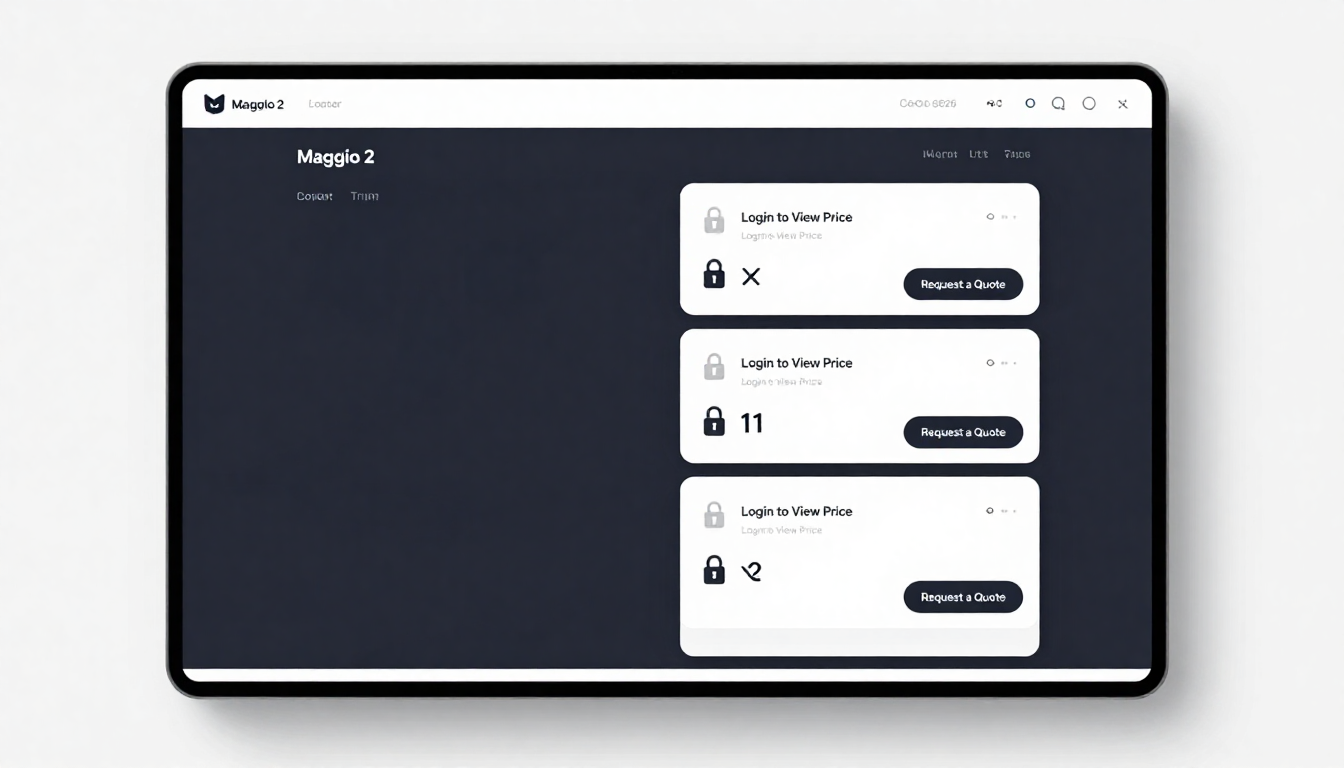
Hidden price messages work best near the price area or add-to-cart section, using clear CTAs like “Login to View Price” or “Request a Quote” without disrupting the user experience.
What are common mistakes when using hide price extensions?
Common mistakes include hiding prices for all users, unclear call-to-action messaging, poor mobile implementation, lack of analytics tracking, and ignoring customer intent when applying hide rules.