Canonical Tags in Magento 2: Complete Implementation Guide

Canonical Tags in Magento 2: Complete Implementation Guide
Canonical tags tell search engines which version of a page to index when duplicate content exists. For Magento 2 stores, canonical tags prevent duplicate content issues, consolidate link equity, and improve crawl efficiency. Canonical tags consolidate link equity (PageRank) from duplicate pages into one main page, strengthening your rankings. Competition in ecommerce makes search visibility critical. Customer acquisition costs keep rising. You compete with stores worldwide, not just locally. Search engine optimization remains the most effective way to increase organic traffic.
Table Of Content
Why Canonical Tags Matter for Ecommerce
Stop Duplicate Content Problems
Content duplication happens frequently in Magento 2. Product sorting, filtering, pagination, and session IDs create duplicate pages. The same product appears multiple times due to selected filters or categories.
Without canonical tags, search engines don't know which page to rank. Around 25–30% of web content is duplicate content, causing SEO efforts to be diluted across multiple URLs instead of strengthening one preferred page. Google doesn’t penalize innocent duplicate content but consolidates ranking signals to one representative URL, which can confuse users and increase store abandonment.
Optimize Crawl Budget
Web crawlers have limited crawl budgets and can only crawl a certain number of pages within specific timeframes. Stores with thousands of pages require efficient crawling to ensure important content is indexed.
Without canonical tags, hundreds of pages may point to the same content, wasting crawl budget on duplicates instead of valuable pages. Proper canonical configuration helps crawlers ignore duplicate pages and focus on preferred versions, improving rankings and organic traffic.
Strengthen Product Page Rankings
Multiple pages for a single product divide SEO authority, preventing product pages from ranking prominently. Most users only click the first 3–5 search results.
Link equity splits across duplicate pages, reducing the impact of quality backlinks. Canonical tags consolidate link equity into one URL, significantly improving ranking potential.
Improve User Experience
Canonical tags help users land on the correct, optimized version of product pages. These pages load faster, contain better content, and provide a more consistent shopping experience.
A better user experience increases conversions, boosts sales, and encourages repeat visits.
Common Causes of Duplicate Content
Duplicate content issues often arise due to technical configurations, regional targeting, or URL structures within Magento stores.
Regional and Device Variants
Stores serving multiple regions may create separate pages for different audiences. For example, UK and US versions can contain identical content.
Similarly, maintaining separate desktop and mobile versions can cause search engines to treat them as duplicate pages.
Protocol and URL Structure Issues
HTTP and HTTPS versions of pages create duplication, as do WWW versus non-WWW URLs. Trailing slash variations (example.com/page vs example.com/page/) also result in duplicate content.
Technical Parameters
URL parameters used for filtering, sorting, or campaign tracking (example.com/shoes?color=red) create multiple URLs with similar content.
Session IDs appended to URLs (example.com/product?sessionid=12345) further increase duplication by generating unique URLs for the same page.
Content Management Issues
| Duplicate Type | Example | Solution |
|---|---|---|
| Printer Pages | Stripped-down print versions | Canonical to main page |
| Pagination | Blog archives, product listings | Self-referencing or rel="next/prev" |
| Syndicated Content | Content on multiple sites | Canonical to original |
| Similar Descriptions | Generic manufacturer text | Customize or canonicalize |
| Demo/Test Pages | Forgotten staging content | Remove before launch |
Tip
To enhance your eCommerce store’s performance with Magento, focus on optimizing site speed by utilizing Emmo themes and extensions. These tools are designed for efficiency, ensuring your website loads quickly and provides a smooth user experience. Start leveraging Emmo's powerful solutions today to boost customer satisfaction and drive sales!
How to Implement Canonical Tags in Magento 2
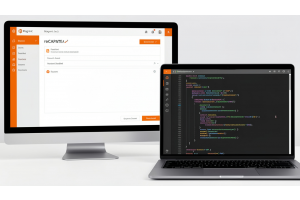
Magento 2 allows basic canonical tag configuration through the admin panel. Third-party extensions offer advanced features for comprehensive implementation.
Product Page Canonicalization
Add canonical tags to each product page with these options:
- Custom URL
- Use global config settings
- Canonical URL with category tree
- Canonical URL without category tree
Product SEO Configuration
Backend steps:
- Navigate to any product in the Admin Panel
- Expand the Search Engine Optimization section
CMS Page Configuration
To add canonical URLs to CMS pages:
- Open Admin Panel and go to Content > Pages
- Click Edit Page and expand the Search Engine Optimization section
- Enter a custom URL to override the default canonical
Category Page Setup
To add canonical URLs to category pages:
- Open Admin Panel and navigate to Catalog > Categories
- Select a category and open the Search Engine Optimization tab
- Enter a custom URL to override the default canonical
Cross-Domain Canonicalization
Configure canonical meta tags for:
- Different storefronts
- Store views
- Custom URLs
Result
- Prevents duplicate content issues across multiple domains
Exclude Specific Pages
Exclude specific product or category pages from canonical tag application when needed for testing or special cases.
Pagination and Filter Handling
Add canonical tags to pagination pages to manage how layered navigation pages relate to products and categories.
Enable or disable canonical meta tags for catalog pagination pages and layered navigation (filtered pages or current category).
URL Structure Optimization
Add trailing slashes to canonical meta tags to create user-friendly and search engine-friendly URLs.
2025 Canonical Tag Best Practices
Generative Engine Optimization
As of 2026, canonicalization matters for both traditional SEO and generative engine optimization (GEO). AI systems like ChatGPT and Perplexity rely on canonical signals to identify authoritative pages.
Canonical tags tell generative engines which URLs to trust and surface as authoritative answers.
Implementation Rules
Use self-referencing canonicals: Each page should include a canonical tag pointing to itself. This consolidates ranking signals even when no duplicate URLs exist.
One canonical per page: Multiple canonical tags confuse search engines and can lead to indexing issues.
Point to working URLs: Never canonicalize to 404 or 5XX error pages. Search engines ignore these canonicals and may index incorrect versions.
Use absolute URLs: Always include full URLs with protocol
(e.g., https://example.com/page) instead of relative paths (/page).
Avoid canonical chains: Do not create chains where Page A canonicalizes to Page B, which then canonicalizes to Page C. Always point directly to the final destination.
Verification Methods
Google Search Console: Use the URL Inspection Tool to see how Google perceives canonical tags. The Pages report highlights canonicalization issues.
View page source: Right-click on a page, select “View Page Source,”
and search for rel="canonical" to verify implementation.
SEO audit tools: Use tools like Screaming Frog, Sitebulb, or Ahrefs Site Audit to crawl your site and identify canonical issues.
Real Impact Data (2025)
| Metric | Finding | Impact |
|---|---|---|
| Web Duplicate Content | 25–30% of all web content | Search engines struggle to identify authoritative pages |
| Orphan Page Reduction | 80% decrease after fixing canonicals | Improved crawlability and internal linking |
| Ranking Improvement | Significant increase | Growth in branded and non-branded keywords |
| Impression Increase | Measurable improvement | Higher visibility in search results |
| Implementation Errors | Affect a significant portion of websites | Reduced SEO performance and indexing issues |
One case study showed fixing canonical tags reduced orphan pages from 127 to 25, an 80% decrease. Proper canonical implementation showed significant positive impact on impressions, number of ranked keywords, and rank positions.
Common Canonical Mistakes to Avoid
Mixing with conflicting tags: Don't combine canonical tags with noindex or disallow directives. These send conflicting signals to search engines.
Canonicalizing to dead pages: Ensure canonical URLs return 200 status codes, not 404 or 500 errors.
Using relative URLs: Always use absolute URLs, including the protocol, for clarity.
Ignoring HTTPS: If your site uses HTTPS, never declare HTTP URLs in canonical tags. Always point to the secure version.
Multiple canonicals: Never include more than one canonical tag per page. Google ignores all canonicals when multiples exist.
Handling Specific Scenarios
Syndicated Content
When content appears on multiple websites, canonical tags protect your authority by informing search engines which website hosts the original version.
Always ensure syndicated content includes proper canonical tags pointing to your original source.
Parameter Handling
Configure parameter handling in Google Search Console for tracking codes and filter parameters. This prevents unnecessary URL variations from being indexed.
Mobile Versions
If you maintain separate mobile URLs, use canonical tags to indicate the desktop version as the primary one.
Modern responsive design eliminates the need for separate mobile canonicals.
International Sites
For multilingual sites, use hreflang tags alongside canonical tags.
Each language version should self-reference its canonical or omit canonicals entirely to avoid conflicts.
Monitoring and Maintenance
Regular audits: Run monthly site audits to identify canonical issues, including broken links, chains, and conflicting signals.
Track performance: Monitor rankings, traffic, and Search Console messages after implementing canonical changes.
Update with changes: Review and update canonical configurations whenever your site structure changes.
Test new implementations: Before rolling out changes site-wide, test canonicals on a few pages and monitor results.
Tools for Canonical Management
Google Search Console: A free tool for verifying canonical implementation and identifying issues.
Screaming Frog: A desktop crawler that identifies canonical problems across your entire site.
Sitebulb: A visual site auditing tool with detailed canonical reporting.
Ahrefs Site Audit: A comprehensive crawler that checks 170+ SEO issues, including multiple canonical-related problems.
Magento Extensions: Third-party tools that simplify canonical management through intuitive interfaces without coding.
Advanced Canonicalization Strategies
E-commerce Product Variants
For products with color, size, or style variants, canonicalize variant pages to the main product page to consolidate ranking signals.
Category and Tag Pages
Use self-referencing canonicals on primary category or tag pages.
Similar or overlapping pages should point to the main category page.
Faceted Navigation
Aggressively canonicalize faceted navigation pages to prevent index bloat.
Only allow valuable filter combinations (such as brand + category) to be indexed when they have proven search demand.
Dynamic Content
Pre-generate canonical URLs during product imports rather than calculating them dynamically.
Cache canonical decisions at the product level to improve performance and consistency.
Conclusion
Canonical tags are essential for Magento 2 stores. They prevent content duplication, consolidate link equity, optimize crawl budgets, and improve user experience. Third-party extensions simplify implementation and offer advanced features beyond Magento's built-in capabilities. Start with basic configuration, then advance to complex scenarios as your store grows.
FAQs
What are canonical tags in Magento 2?
Canonical tags in Magento 2 are HTML elements that tell search engines which version of a URL should be treated as the primary (authoritative) page when duplicate or similar content exists.
Why are canonical tags important for Magento 2 SEO?
Canonical tags prevent duplicate content issues, consolidate ranking signals, improve crawl efficiency, and help search engines index the correct product, category, or CMS page.
How does Magento 2 handle canonical URLs by default?
Magento 2 provides built-in settings to enable canonical tags for products and categories, which can be configured globally from the admin panel under SEO settings.
Can Magento 2 generate multiple URLs for the same product?
Yes, Magento 2 can generate multiple URLs due to layered navigation, category paths, sorting parameters, and tracking parameters, making canonical tags essential.
How do canonical tags help with category-based product URLs?
Canonical tags ensure that search engines index a single preferred product URL, even when the same product appears in multiple categories.
What is the difference between canonical URLs with and without category paths?
Canonical URLs with category paths include the full category hierarchy, while URLs without category paths point directly to the product page. The choice depends on site structure and SEO strategy.
Can canonical tags be customized per product or CMS page?
Yes, Magento 2 allows custom canonical URLs at the product and CMS page level through the Search Engine Optimization section in the admin panel.
Do canonical tags help reduce orphan pages?
Yes, proper canonical implementation reduces orphan and low-value URLs by signaling the main page to search engines, improving overall site structure.
What are common canonical tag implementation errors in Magento 2?
Common errors include missing self-referencing canonicals, pointing canonicals to non-indexable pages, inconsistent URL formats, and conflicting canonical signals.
Do I need a Magento developer for proper canonical implementation?
While basic settings can be configured from the admin panel, a Magento developer is recommended for complex catalogs, custom URL structures, and advanced SEO requirements.