
Complete Product Labels Guide for eCommerce Stores (2026)
Complete Product Labels Guide for eCommerce Stores (2026)
Product labels boost conversions by up to 55% when you use them right. These visual markers help shoppers make faster decisions and increase click-through rates on category pages. Studies show badges can increase CTR by 141% for time-sensitive offers.This guide covers everything about product labels for your online store, including proven strategies and the best extensions available in 2026.
Table Of Content
What Product Labels Do
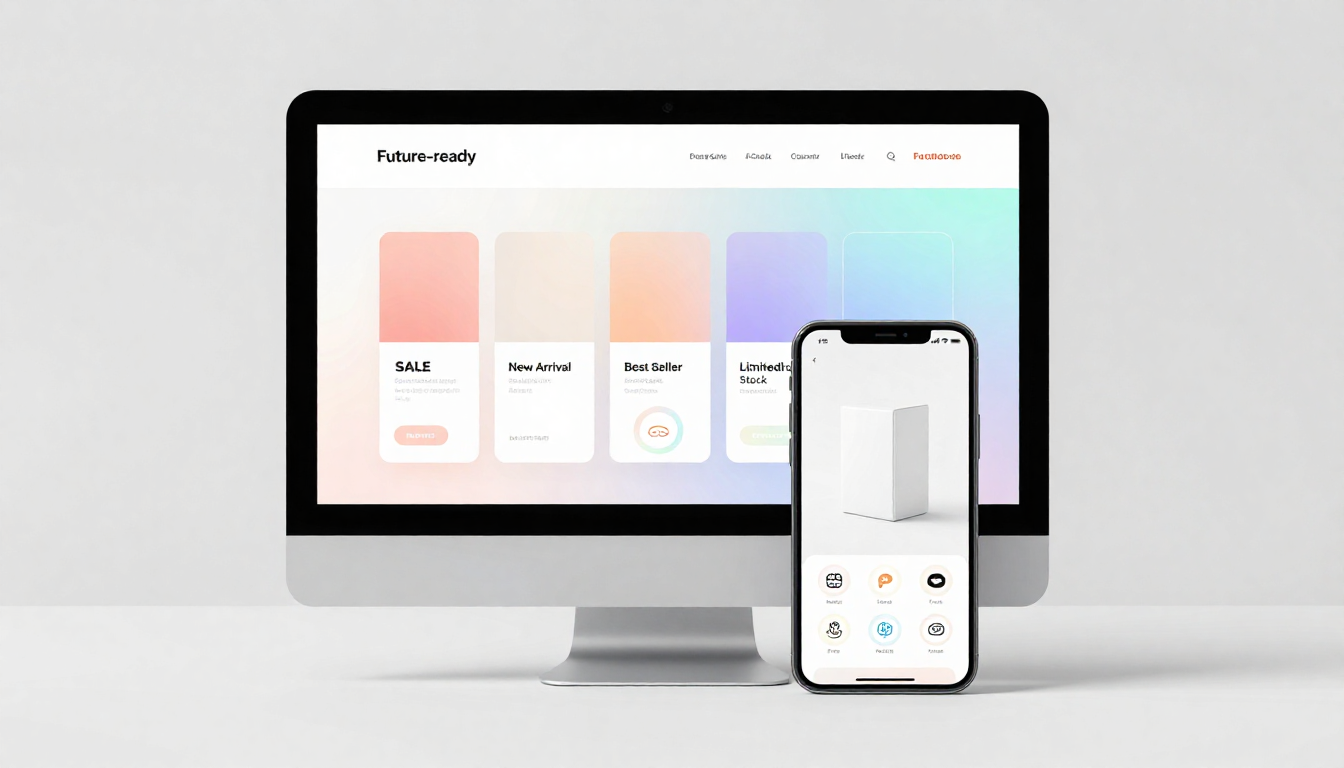
Product labels are customizable tags you place on product images. They highlight specific products and communicate key information instantly.
Think about shopping online during Black Friday. Products with "50% OFF" or "70% OFF" tags grab your attention immediately. That's what product labels do—they make products stand out.
Shoppers form opinions within 50 milliseconds when scanning category pages. Labels help you win that split-second decision.
How Product Labels Impact Sales
Strategic badge placement delivers measurable results across multiple metrics:
| Impact Area | Metric | Result |
|---|---|---|
| Conversion Rate | Average Increase | 55% boost |
| Click-Through Rate | Urgency Badges | Up to 141% improvement |
| Decision-Making Speed | Product Selection | 2–3x faster |
| Cart Additions | Trust Badges | 15–25% increase |
| Mobile Effectiveness | Device Compatibility | Works equally on all devices |
Never buy links. This violates search engine guidelines. Focus on earning links naturally through partnerships and valuable content.
Tip
To enhance your eCommerce store’s performance with Magento, focus on optimizing site speed by utilizing Emmo themes and extensions. These tools are designed for efficiency, ensuring your website loads quickly and provides a smooth user experience. Start leveraging Emmo's powerful solutions today to boost customer satisfaction and drive sales!
Why Product Labels Work
Make Products Stand Out
Labels like "Special Offer" or "Top Rated" grab attention on crowded category pages. This visibility leads directly to more clicks and conversions.
Communicate Fast
Text descriptions get ignored. Only 2 out of 10 people read product text. Labels communicate the same information visually—everyone notices them instantly.
Research shows shoppers process visual information 60,000 times faster than text. Labels leverage this biological advantage.
Build Trust Through Social Proof
"Bestseller" badges leverage social proof psychology. When shoppers see others bought and loved a product, they trust it more. This reduces purchase hesitation.
Create Urgency
"Limited Stock" and "Sale Ends Soon" tap into FOMO (fear of missing out). These urgency signals push faster purchase decisions and reduce cart abandonment.
Cart abandonment averages 70.19% across eCommerce. Urgency badges help recover some of those lost sales.
Boost Category Page Performance
Category pages see the biggest impact. Labels help specific items stand out among dozens of similar products, directly improving click-through rates.
One study tracked browse-to-click metrics and found badges reduced the number of pages shoppers needed to view before making decisions—they found what they wanted faster.
Guide Purchase Decisions
Too many choices overwhelm shoppers. Labels act as visual guides that reduce decision fatigue. "Recommended" and "Popular Choice" badges help confused shoppers choose confidently.
Support Smart Merchandising
Most extensions let you apply labels based on rules: price, stock level, customer group, or sales performance. Automatically labeling high-performers as "Best Seller" capitalizes on social proof.
Increase Order Value
Labels like "Recommended" or "Upgrade Option" on premium products subtly encourage higher-value purchases. This boosts average order value without aggressive upselling.
Stores using strategic badge placement see AOV increases of $15–40 per order on average.
Scale With Your Store
You can apply labels in bulk, schedule them for specific periods, and update campaigns without developer help. They work for small stores and enterprise catalogs equally well.
Label Types That Drive Sales
- "50% OFF"
- "Clearance"
- "Deal of the Day"
These convert price-conscious shoppers instantly. Test results show "Deal of the Day" badges boosting click-through rates by up to 141%.
Urgency Labels
- "Limited Stock"
- "Only 3 Left"
- "Sale Ends Soon"
Research confirms countdown timers and scarcity labels increase urgency, leading to faster purchases and reduced cart abandonment.
Social Proof Labels
- "Bestseller" (most commonly used across top retailers)
- "Top Rated"
- "Trending Now"
Nearly 50% of online shoppers say badges influence what they click first. Social proof labels are powerful trust builders.
Value Labels
- "Free Shipping"
- "Free Returns"
- "Eco-Friendly"
"Free Shipping" badges eliminate hesitation about delivery costs, leading to faster conversions.
Feature Labels
- "New Arrival"
- "Exclusive"
- "Limited Edition"
These help shoppers identify products matching their preferences without opening multiple product pages.
Seasonal Labels
Holiday-specific badges capitalize on festive shopping periods and create timely appeal.
Best Practices for Maximum Impact
Use One Label Per Product
Multiple labels confuse shoppers and dilute your message. If you have multiple offers, choose the most effective one.
Research on cognitive load shows too many visual cues overwhelm the decision-making process.
Keep Design Simple
Shoppers already understand labels, so stick with clean and readable designs. Use colors that contrast with product images.
Top-left corner placement works best—studies on visual hierarchy confirm this spot gets noticed first. Keep badge size to 10–15% of the image.
Don't Overuse Labels
Label only products that need highlighting. Too many labels overwhelm users and reduce effectiveness.
If everything is "special," nothing stands out. Strategic scarcity in labeling increases impact.
Test Different Approaches
- Badge position (top-left vs top-right)
- Colors (red vs brand color)
- Animated vs static
- Single vs multiple badges
- Text variations
Test until you reach 95% statistical confidence with at least 1,000 conversions per variant (typically 2–4 weeks).
Be Honest
Only use authentic labels. Fake urgency kills trust, and shoppers can easily detect it.
40% of shoppers now use chat to verify claims. Getting caught using fake urgency damages your brand permanently.
10 Product Label Extensions Compared
All major extensions offer similar core features: ready-made templates, custom uploads, conditional display, and positioning options. The differences lie in pricing, advanced features, and support quality.
Feature Comparison Table
| Provider | Community Price | Enterprise Price | Key Features | Compatibility |
|---|---|---|---|---|
| Extension A | $109.99 | $309.99 | Text/image labels, custom positioning, multiple labels, store view restrictions | Standard |
| Extension B | $209 | $509 | Ready shapes, free delivery labels, widget display, automation | Hyva |
| Extension C | $149 (then $89.4/yr) | $349 (then $209.4/yr) | PWA-ready, custom CSS, variable messages | PWA |
| Extension D | $169 | $339 | CSS shapes, multiple labels, size options, preview | Hyva |
| Extension E | $199 | $399 | Short description stickers, custom CSS, conditional automation | Standard |
| Extension F | $149 | $299 | GraphQL compatible, max label limits, attribute-based display | GraphQL |
| Extension G | $79 | $158 | Promotional stickers, dimension control, position selection | Standard |
| Extension H | $99 | $248 | Hyva ready, flexible rules, position selection | Hyva |
| Extension I | $129 | $229 | PWA/REST/GraphQL support, auto-display, custom CSS | PWA / API |
| Extension J | Free | Free | Unlimited labels, customer groups, 100+ designs, dynamic rules | Standard |
Budget-Friendly Options
If you're starting out or running a small store, look for extensions in the $79–129 range. These provide all essential features without breaking the bank.
The free option delivers impressive functionality but may lack premium support and advanced automation.
Enterprise Features
Enterprise pricing ($300+) typically includes:
- Priority support
- Advanced automation rules
- Integration with multiple store views
- Customer group segmentation
- Bulk management tools
Compatibility Considerations
- Hyva themes: Choose extensions explicitly supporting Hyva to avoid compatibility issues.
- PWA stores: Ensure your extension supports progressive web app architecture.
- GraphQL/REST API: Critical if you're running headless commerce or custom frontends.
Implementation Guide
Most extensions follow this workflow:
- Install extension via marketplace
- Choose from pre-made templates or upload custom designs
- Set conditional rules (price ranges, categories, stock levels)
- Position labels on product images
- Restrict by store view or customer group if needed
- Preview before going live
Setup typically takes 15–30 minutes for basic configuration.
Automation Rules
Smart merchants automate labels based on:
- Sales velocity: Auto-label top 10% performers as “Bestseller”
- Stock levels: Show “Low Stock” when inventory drops below threshold
- Price reductions: Automatically display discount percentage
- New products: Label items added in last 30 days as “New”
- Customer groups: Show “Member Exclusive” to logged-in customers
- Seasonal triggers: Schedule holiday badges automatically
Performance Tracking
Monitor these metrics after implementing labels:
- Category page CTR (clicks per views)
- Product page conversion rate
- Add-to-cart rate
- Average order value
- Time spent on category pages
- Cart abandonment rate
Most stores see measurable improvements within 2–4 weeks.
Mobile Optimization
53% of shoppers worldwide used mobile for online purchases in 2024. Your labels must work perfectly on mobile.
Desktop and mobile now convert at equal rates (2.8%), but desktop users generate higher AOV. iOS users convert 15–20% higher than Android users.
Ensure your label extension provides:
- Responsive badge sizing
- Touch-friendly interactions
- Fast loading (1 second faster = 2% higher conversion)
- Readable text at small sizes
2026 Label Trends
- AI-Powered Dynamic Labels: AI determines optimal label text and placement based on shopper behavior.
- Personalized Labels: VIP users see “Exclusive Access,” first-time visitors see “Popular Choice.”
- Video Badge Integration: Clickable badges triggering videos increase engagement.
- Geotargeted Labels: Show weather-based, local inventory, or regional offers.
- Sustainability Badges: Eco and certification labels (organic, fair trade) boost trust.
Common Mistakes to Avoid
- Using Generic Text: “30% OFF” performs better than “On Sale.”
- Blocking Product Images: Keep badges small and positioned in corners.
- Ignoring Brand Consistency: Labels should match store design.
- Setting and Forgetting: Review label performance monthly.
- No Mobile Testing: Always test on real mobile devices.
Choosing the Right Extension
Consider these factors:
- Budget: Basic features start at $79; enterprise features cost $300+
- Technical requirements: Standard, Hyva, PWA, or headless
- Support quality: Check recent reviews
- Automation needs: Advanced automation saves time at scale
- Update frequency: Ensure active development
- Trial availability: Look for demos or guarantees
Most extensions provide similar core features. Balance pricing with support quality and technical fit.
ROI Expectations
Based on 2026 data:
- Average conversion rate: 2–4%
- With optimized labels: 3.1–6.2% (55% increase)
- On 10,000 monthly visitors: 200–400 vs 310–620 conversions
- Revenue impact: $15,000–30,000 additional monthly revenue (depending on AOV)
Even a 0.5% conversion increase can double revenue at scale. On 100,000 monthly visits, that’s 500 extra sales.
Conclusion
Product labels deliver measurable results when implemented correctly. They help shoppers make faster decisions, create urgency, build trust, and guide purchases.The 55% conversion increase statistic isn't guaranteed—it depends on proper implementation, testing, and optimization. But the data consistently shows significant improvements across stores using strategic badge placement.Start with 3-5 label types. Test one variable at a time. Monitor your metrics. Scale what works.
FAQs
What are product labels in eCommerce?
Product labels in eCommerce are visual badges or stickers such as “Sale,” “New,” “Best Seller,” or “Limited Stock” that highlight key product attributes and attract customer attention on product and category pages.
Why are product labels important for eCommerce stores?
Product labels improve visibility, guide customer decisions, and increase conversions. They help shoppers quickly identify offers, urgency, and product value, reducing decision fatigue and boosting engagement.
How do product labels impact conversion rates?
Product labels can significantly increase conversion rates by emphasizing urgency, trust, or popularity. Labels like “Limited Offer” or “Best Seller” influence buying behavior and encourage faster purchases.
Which types of product labels work best in 2026?
In 2026, the most effective product labels include dynamic pricing badges, low-stock alerts, AI-driven personalized labels, eco-friendly tags, and trust-based labels such as reviews or guarantees.
Can product labels improve mobile shopping experience?
Yes, well-designed product labels enhance mobile UX by delivering instant visual cues without overwhelming small screens, helping users make faster decisions while browsing on mobile devices.
Are product labels SEO-friendly?
Product labels themselves do not directly impact SEO, but they improve user engagement, click-through rates, and dwell time—behavioral signals that indirectly support better search performance.
How do dynamic product labels work?
Dynamic product labels automatically update based on rules such as stock levels, pricing changes, customer groups, or time-based promotions, ensuring real-time accuracy and relevance.
What platforms support advanced product labels?
Modern eCommerce platforms like Magento 2, Hyvä, PWA storefronts, and headless setups support advanced product labels with features such as GraphQL, API-based rules, and custom styling.
How should product labels be positioned for best results?
Product labels perform best when placed near product images or pricing areas. Strategic positioning ensures visibility without disrupting the overall design or user experience.
What are common mistakes when using product labels?
Common mistakes include overusing labels, cluttered designs, unclear messaging, inconsistent rules, and ignoring mobile optimization. Effective labels should be clear, relevant, and visually balanced.